
From Organizing Skin Photos to Supporting Disease Assessment: Reviewing an App's Intended Use
A fictional app example connects changes in software functions and intended use to medical-device status review in South Korea.
Adding a feature that analyzes the likelihood of a skin disease to a photo-organizing app creates a reason to review its medical-device status during planning.
The issue is the change in function and intended use: the app now provides results intended to support disease assessment.
This article addresses software teams preparing for the South Korean market.
The app below is a fictional planning example, not an actual MFDS determination about a product.
The same photos can lead to different outputs
The first concept sorts ordinary smartphone photos by date so that users can retrieve their personal images.
Assume that it does not analyze skin conditions or calculate disease likelihood.
The second concept analyzes features in those photos, provides a result concerning the likelihood of a particular skin disease, and is designed for that result to support disease assessment.
| Aspect | Photo organization | Proposed disease-analysis feature |
|---|---|---|
| Input | Ordinary photos the user wants to keep | Skin photos intended for disease-likelihood analysis |
| Processing | Date sorting and photo retrieval | Image-feature analysis and disease-related output generation |
| Output | A dated photo list | An analysis result concerning disease likelihood |
| Intended use | Retrieving personal photos | Supporting disease assessment |
| Review focus | Consistency between the assumed function, purpose and implementation | Device-status review prompted by a medically intended output |
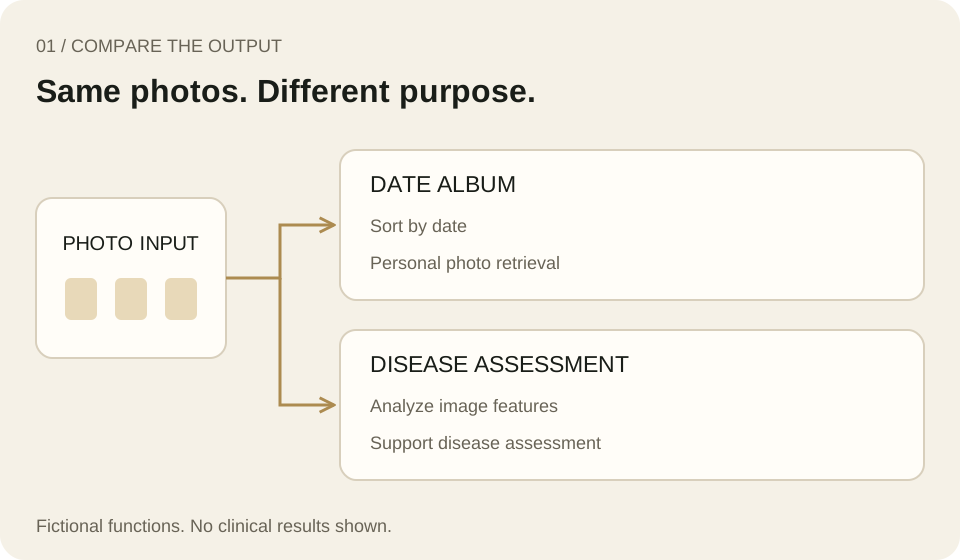
Identical input data can serve different processing functions and intended uses.
These fictional interfaces are original conceptual illustrations, not actual patient data or diagnostic results.
Calling a product an album does not establish that it is outside medical-device regulation.
Medical-image display or processing, connections to medical devices, and integration with diagnostic functions can change the relevant considerations.
This comparison is not a general exclusion rule for medical imaging systems.
Ask what the decision is for
Sorting photos by date also involves computational comparisons and choices.
The presence of such operations alone does not make software a medical device.
What changes in this example is the purpose of producing a skin-disease likelihood result to support disease assessment.
Article 2(2) of South Korea's Digital Medical Products Act defines digital medical devices by reference to medical devices incorporating digital technology and specified purposes, including disease diagnosis, treatment and observation of prognosis.
MFDS guidance also includes standalone software among the relevant technologies.
Being an app therefore does not, by itself, remove the need to review device status.
[Sources 1 and 2]
Words such as “likelihood” or “for reference” do not replace a review of the actual function.
Consider what the software analyzes, who receives the result, and which decisions it is intended to support.
A statement that a physician makes the final decision is also information about the workflow; it does not explain away the software's preceding role.
Connect input, processing, output and use
A practical starting point is to describe what the feature does in one sentence.
The following is MedQraft's planning suggestion, not a statutory application format.
A user supplies a skin photo; the software analyzes image features and provides a result concerning disease likelihood; the specified user applies that information to support disease assessment.
That sentence still leaves decisions to make.
Is the intended user a layperson or a healthcare professional? Which disease and body site are covered? Under what conditions are photos acquired? What exactly does the output mean? Record decisions and unresolved points separately, without inventing performance figures or target populations.
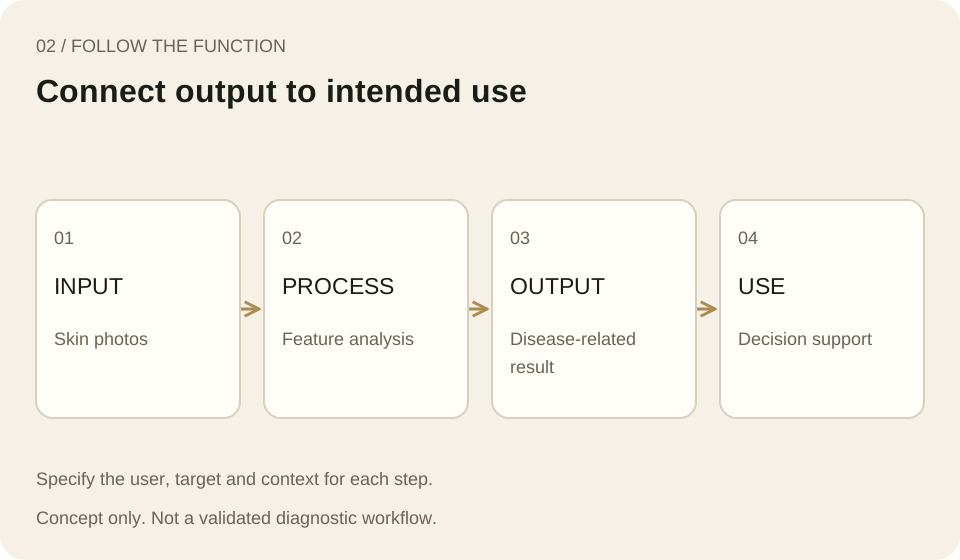
Review the function from image input to the point where the result is used.
This describes a fictional app and does not establish a validated diagnostic algorithm or performance.
If a screen says “analysis result” but the development requirements describe only date sorting, the documents are not describing the same product.
Likewise, if the plan describes personal recordkeeping while the actual function estimates disease likelihood, resolve that inconsistency before preparing the product description for a device-status review.
Compare the plan before and after the feature addition
| What to document | Questions for this fictional example |
|---|---|
| Target and user | Whose skin photos are involved, and who supplies the input and reads the result? |
| Actual processing | Does it only sort by date, or analyze disease-related features? |
| Meaning of the output | Is it a photo list, a disease-likelihood result or other medical information? |
| Intended use | Is the result for retrieving personal records or supporting disease assessment? |
| Context and connections | Is the app standalone, or connected to medical devices or clinical systems? |
| Unresolved points | Which targets, use conditions or output limitations remain undecided? |
Place the before-and-after screens beside their function descriptions.
This helps distinguish a display improvement from a change affecting the product's purpose.
It also supports a consistent explanation when asking about device status.
If the boundary remains unclear, prepare the function, intended use, operating principle and example outputs, and consult the MFDS device-status review route.
[Source 3]
Separate device status from classification and authorization
The conclusion is not that adding disease analysis establishes a particular device class.
Review medical-device status on the basis of the actual function and intended use, then examine the applicable classification, risk class and authorization requirements.
A screen alone cannot establish the class or required test program.
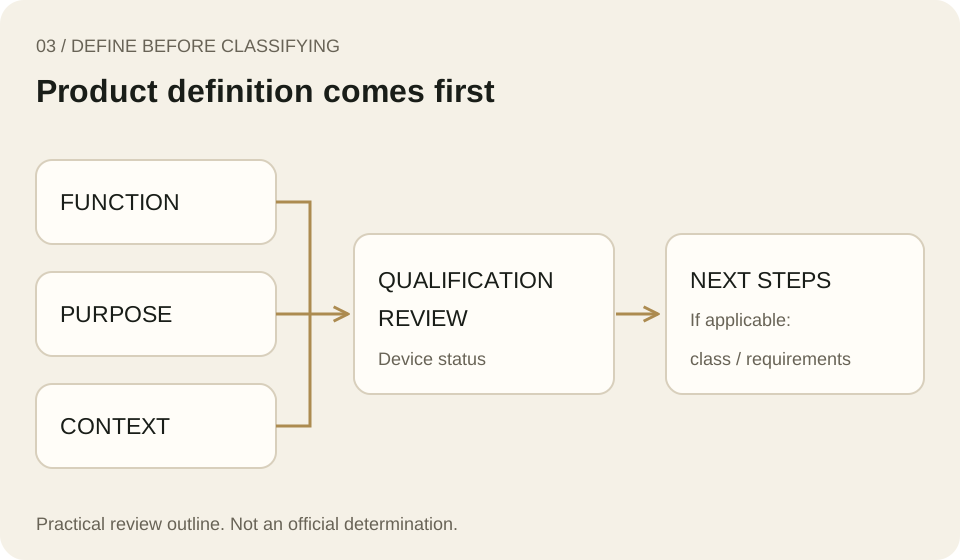
Define the product and establish the basis for reviewing its device status, then consider the applicable classification and authorization requirements.
This is MedQraft's practical outline, not a substitute for an official determination.
Three questions can focus the review meeting: What new result does the feature produce? Which decisions is the user intended to make with it? Do the plan, interface and actual behavior describe that purpose consistently? If the answers change, update the product definition as well as the feature list.
A determination that a product is not a medical device does not mean every related framework is irrelevant.
South Korea also has a separate category for digital medical and health-support products, so assess the applicable scope against the actual purpose and functions.
[Source 2]
Related reading
- Software requirements and test evidence: connecting defined product functions to requirements and verification evidence.
- All MedQraft insights: related regulatory, design and testing topics.
Sources and scope
- Korean Law Information Center: Digital Medical Products Act, Article 2(2).
Definition checked in the version effective October 8, 2026.
Korean original. - MFDS electronic civil-service system: Digital medical products guidance.
Product scope, standalone software and the separate health-support category.
Korean original. - Government24: Request for review of medical-device status.
Reference route for the review service.
Korean original.
Checked October 22, 2026.
This article discusses South Korean regulation.
English legal terminology is used descriptively; the Korean legal text governs.
The fictional app, planning sentence and review questions are MedQraft's own explanatory material and must not be cited as an MFDS determination of device status or class.
Let's talk
Apply what you have read
to your product.
Tell us your product's current stage and the questions you need to review.
Discuss your questions ↗